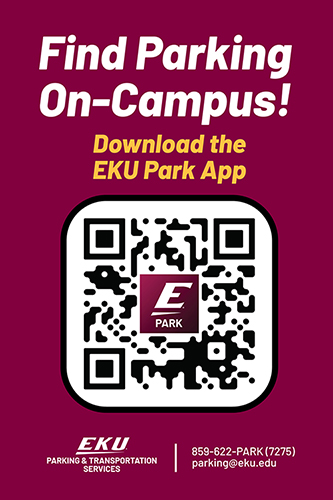
Welcome to EKU Park!
EKU Park is your go-to campus parking companion. It uses ParkZen’s smart crowdsourcing technology to help you quickly find available parking on campus, navigate to the best spots for your permit, and keep track of your car — all while contributing to a community-powered parking network, just like Waze for parking.
1. How does EKU Park work?
Willie Park anonymously detects when you park or leave a space using:
- Location Services (set to “Always Allow”)
- Motion & Fitness permissions
The app then updates parking availability in real time so all students benefit. The more people use it, the more accurate it becomes.
Just download the app, log in, set your parking profile, and you’re ready to go!
2. Why does the app need “Always Allow” Location and Fitness permissions?
These settings allow the app to:
- Seamlessly detect when you park or leave (no manual check-in required)
- Automatically save your car’s location for easy navigation back
- Send alerts about potential parking violations or restrictions
- Provide real-time parking availability to the Chico State community
Note: Detection happens only within EKU campus parking areas — your location is not tracked elsewhere.
3. How is my privacy protected?
Your privacy is a top priority:
- No personal data is shared with anyone
- Only anonymous parking events are used to estimate availability
- Your individual parked car location is never shared
- Data is stored securely and used solely to improve campus parking
4. How can I make the app more accurate for everyone?
- Keep Location and Motion & Fitness permissions set to “Always Allow”
- Use the app every time you park on campus
- Encourage friends, classmates, and colleagues to install and use the app — more users = better accuracy
5. How do I set my Parking Profile for the best results?
- Go to Profile → Parking Profile
- Select your parking permit type
- The app will now only show lots you’re eligible to park in
You can also:
- “Heart” a lot to save it as a favorite
- Filter to only see your favorite lots under Parking Profile
6. How do I find parking quickly?
- Tap “Park Nearby” to instantly get directions to the best possible parking area near you
- The app uses real-time occupancy data and your permit/favorites to route you
- Navigation works with Apple Maps or Google Maps
7. How can I look up information about a specific parking lot?
- Search or scroll the campus map
- Tap the lot marker for details (availability, type, and restrictions)
- Tap the heart icon to add it to your Favorites for quick access later
8. Can the app help me avoid tickets or violations?
Yes! If you enable Always Allow location:
- EKU Park will automatically save your parking spot
- It can send alerts about parking restrictions, events, or enforcement activity that may affect your space
9. Can I share my parking experience?
Absolutely.
After selecting a lot, tap “Feedback” to rate your recent parking experience or report any issues. Your input helps improve parking services for everyone.
10. Are there rewards for using the app?
Yes!
- You earn points for participating and helping improve parking data
- Points can be used for future parking-related rewards
- You can check the scoreboard to see who the top EKU Park “parking pros” are on campus
11. Why should I use EKU Park instead of just driving around?
Because:
- You save time and reduce stress
- You help build a stronger parking community
- You get more accurate parking data every time you use it
- You could earn rewards just for parking as you normally would
12. How is this like Waze for parking?
Just like Waze is powered by drivers sharing real-time traffic data, EKU Park is powered by students, staff, and visitors sharing real-time parking availability — automatically, anonymously, and for the benefit of everyone.
13. Quick Tips for the Best Experience
✅ Always allow Location and Motion & Fitness permissions
✅ Set your Permit Type in Parking Profile
✅ Favorite your most-used lots
✅ Use Park Nearby for fastest routes
✅ Submit feedback after parking
✅ Encourage others to join — community = accuracy
Together, We Park Smarter.
Every time you use EKU Park, you’re helping make parking on campus easier for everyone.
More users → Better data → Less time searching for a spot.
Download, participate, and let’s make EKU parking stress-free.